If you run a real estate brokerage and you’re using QuickBooks Online, you’ve probably felt this tension:
- your brokerage platform says one thing
- QuickBooks says another
- the bank says a third thing
- and an agent wants an answer today
This is especially common when the brokerage receives the full commission, then pays agents their split, and also applies fees and deductions along the way.
If you’re seeing mismatches and payout disputes, start here first: Commission Split Chaos: Why Your Brokerage Software Doesn’t Match QuickBooks (And What to Fix First).
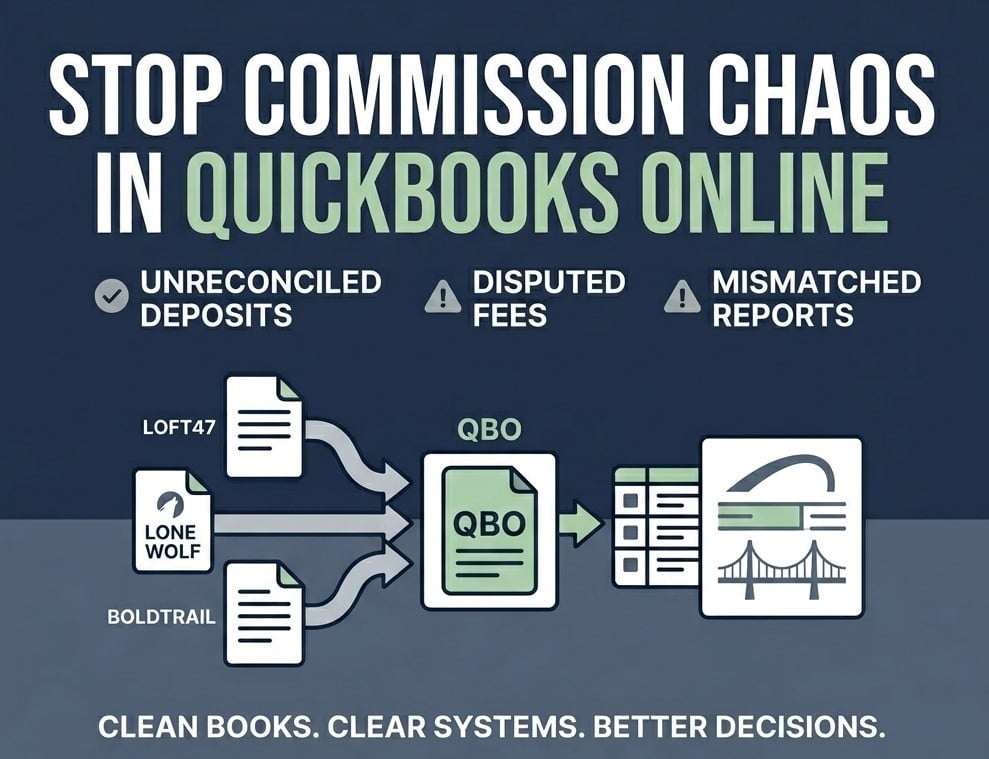
This article is the follow-up: how to set up QuickBooks Online so the books stay clean and explainable month after month—even if you’re using tools like Loft47, Lone Wolf, BoldTrail, Total Brokerage, or Top Producer.
What should QuickBooks Online do for a brokerage (and what should stay in your brokerage platform)?
QuickBooks Online is built for accounting. It’s a system for:
- what hit the bank
- how it’s categorized
- what’s owed (and when)
- accurate financial reporting
- clean year-end support for your CPA
Your brokerage platform (and related tools) are built for operations, like:
- deal-level details
- commission split logic
- agent statements
- pipelines and production
- per-transaction documentation
If your plan is “sync everything and hope,” you’ll end up with:
- duplicates
- inconsistent fees
- timing mismatches
- QuickBooks reports nobody trusts
How should a brokerage structure QuickBooks Online if commission checks flow through the brokerage?
When the full commission hits the brokerage first, your books are dealing with a lot of money that is not all “yours” in the way a typical service business thinks about revenue.
So your setup needs to make two things easy:
1) Reconciling deposits
You should be able to look at the bank deposit and tie it back to what it represents.
2) Explaining agent payouts and deductions
If an agent asks why something was deducted (or why it wasn’t), you should be able to answer quickly and consistently.
If you can’t do those two things, it’s only a matter of time before:
- agents dispute fees
- you lose time and trust
- 1099 season becomes a rebuild
If your brokerage is dealing with mismatched deposits, disputed fees, or QuickBooks reports nobody trusts, schedule a call with Nectar Bridge and we’ll help you identify what to fix first.
What chart of accounts does a brokerage actually need (without overbuilding it)?
Some brokerages have a chart of accounts that’s too simple, like:
- “Income”
- “Expenses”
- “Payroll”
- “Owner draw”
Others build a chart so complex nobody codes consistently.
What you want is something in the middle: simple enough to use, specific enough to answer real questions.
What you usually want to separate clearly
You don’t have to copy this exactly, but most brokerages need clean separation between:
- Commission receipts (money coming in)
- Agent commissions paid (money going out to agents)
- Brokerage-retained fees (transaction fees, admin fees, tech fees, etc.)
- Pass-through charges (if you run things like photography or staging through the brokerage)
- Operating expenses (rent, payroll, subscriptions, marketing—not tied to a specific closing)
That separation is what allows you to answer questions like:
- “How much did we actually keep this month?”
- “Are our fees being applied consistently?”
- “Why does production look strong but cash feels tight?”
What to avoid
- creating new categories for every edge case
- mixing pass-through and operating expenses (it muddies profitability)
- letting three people invent categories as they go
If it’s not consistent, it’s not useful.
How should brokerages handle deposits in QuickBooks Online?
Deposits are the most common reason brokerage books don’t tie out.
Why? Because in the real world:
- deposits are often batched
- deposits don’t always hit on closing day
- deposits may already be net of certain fees
- one bank deposit can represent multiple closings
QuickBooks Online doesn’t automatically know how to split a deposit into deal-level detail unless you’ve built a workflow that supports that.
The key principle: the bank deposit is the anchor
Whether your operational system is Loft47, Lone Wolf, BoldTrail, Total Brokerage, Top Producer, or a custom setup, the accounting side has to start with:
- what actually hit the bank
- when it hit
- what that deposit represents
If you do not have a process to tie deposits back to closings (even at a high level), everything downstream gets shakier:
- fee tracking
- payout tracking
- disputes
- year-end reporting
Keep deposit handling consistent
You do not need “perfect” deal-level detail inside QuickBooks for every brokerage.
You need:
- a repeatable way to record deposits
- a repeatable way to tie them back to closing documentation
- a repeatable way to handle adjustments
If the process depends on someone’s memory, it will break.
How should you track agent payouts so you can explain them during disputes?
In most brokerages, disputes are not about the gross commission.
They’re about:
- fees
- missing deductions
- inaccurate charges
- “why did this show up this month and not last month?”
So the accounting workflow needs a rule you can live by:
Fees and deductions must be consistent in name, timing, and treatment.
That consistency comes from decisions like:
- Where does each fee “live” (which system is responsible)?
- When is it applied (at close, at payout, monthly)?
- How is it documented (so you can show your work)?
- Who approves exceptions and corrections?
If an agent disputes a charge and you can’t trace it back to a closing statement or documented policy, the dispute becomes personal. That’s what you’re trying to avoid.
Corrections need a paper trail
Corrections happen in every brokerage. The difference is whether they’re:
- documented and repeatable
- or random and invisible until someone complains
The most important habit: log exceptions and corrections in one place so you’re not searching emails and texts later.
Should a brokerage use Classes and Locations in QuickBooks Online?
QuickBooks Online gives you tools like Classes and Locations. These can be helpful—but only if you use them with discipline.
When Classes/Locations help
They’re often useful when:
- you have multiple offices
- you want office-level P&L reporting
- you have one owner of the coding process
- you review the reports monthly (so you catch inconsistency fast)
When Classes/Locations create confusion
They often create messy reporting when:
- you try to run agent-level reporting inside QuickBooks
- tagging is inconsistent
- you have partial data (and the report looks “official” but isn’t reliable)
If you want agent-level reporting, your brokerage platform is usually the better place for that. QuickBooks is where you keep the accounting clean.
What should sync into QuickBooks from brokerage software (and what shouldn’t)?
Integrations are helpful—until they aren’t.
The two biggest integration problems brokerages run into are:
- duplicates (the same money shows up twice)
- unusable detail (QuickBooks becomes cluttered with transactions nobody understands)
A practical sync rule
Sync what supports clean accounting and reconciliation.
Don’t sync what turns QuickBooks into an operational system.
If you’ve ever “reconnected” an integration and watched historical transactions reappear, you know why this matters.
A quick “sanity check” before you trust a sync
Before you leave an integration running unattended, make sure you can answer:
- If this sync duplicates something, how will we spot it quickly?
- If the sync breaks, who notices and what’s the recovery plan?
- Are fees/deductions represented consistently in the data?
- Are deposits treated in a way that lets QuickBooks reconcile cleanly?
If those answers aren’t clear, the sync will eventually cost more time than it saves.
What does month-end close look like for a brokerage using QuickBooks Online?
A brokerage month-end close doesn’t need to be complicated.
It needs to be consistent.
Here’s a practical version of “close” for brokerages where commission checks flow through the brokerage:
Monthly close checklist (brokerage version)
- Reconcile bank and credit cards (don’t skip months)
- Tie deposits back to your closings view (whatever system you use)
- Scan for duplicates (especially if integrations are active)
- Review fees and deductions for consistency and exceptions
- Confirm agent payouts tie back to documentation (so disputes aren’t guesswork)
If reconciliation is not part of your routine, you’re building a snowball.
Intuit’s guide to the actual reconciliation workflow is helpful here: Reconcile an account in QuickBooks Online.
How do you keep 1099 season from turning into a rebuild?
1099 season gets messy when you try to solve a year’s worth of workflow problems in January.
Two habits reduce the scramble:
1) Collect W-9s before paying
If you pay agents, referral partners, or other nonemployee service providers, the time to collect W-9s is before the first payment—not after.
2) Keep vendor/contractor records clean during the year
Basic consistency (names, entity types, tax ID fields) saves hours later.
For general IRS guidance on information return requirements, see: Am I required to file a Form 1099 or other information return?.
This is general information, not tax advice. Your CPA should guide you on the details for your brokerage.
When should a brokerage get help setting this up?
DIY can work when:
- volume is low
- deposits are simple
- fees are minimal and standardized
- one person owns the process and reconciles monthly
It’s time to get help when:
- agent disputes keep happening around fees/deductions
- QuickBooks doesn’t reconcile cleanly every month
- spreadsheets are the glue holding your reporting together
- you’re nervous about 1099 season because you know the data isn’t consistent
- nobody really “owns” the workflow
The cost isn’t just bookkeeping time. It’s:
- paying wrong
- recording wrong
- and rebuilding the year under pressure
Conclusion: A clean setup gives you calm months, fewer disputes, and clean year-end reporting
You don’t need perfect software.
You need a workflow where:
- deposits reconcile cleanly
- fees and deductions are consistent
- agent payouts are explainable (with documentation)
- your books are usable every month—not just at tax time
If you want help tightening your QuickBooks Online setup and the workflow between your brokerage platform, your bank activity, and QBO, schedule a call with Nectar Bridge. We’ll help you identify what to fix first so you can calm the chaos and trust your numbers monthly.
Learn more about our bookkeeping for real estate brokerages.